Oh My NotepadXX Logo Oh My NotepadXX

Dual-Pane Code, Live Markdown & Whiteboard Workspace

A high-performance browser workspace combining Monaco Editor, real-time Markdown & Mermaid previews, and Excalidraw vector canvases. By Ali AlRashedi.
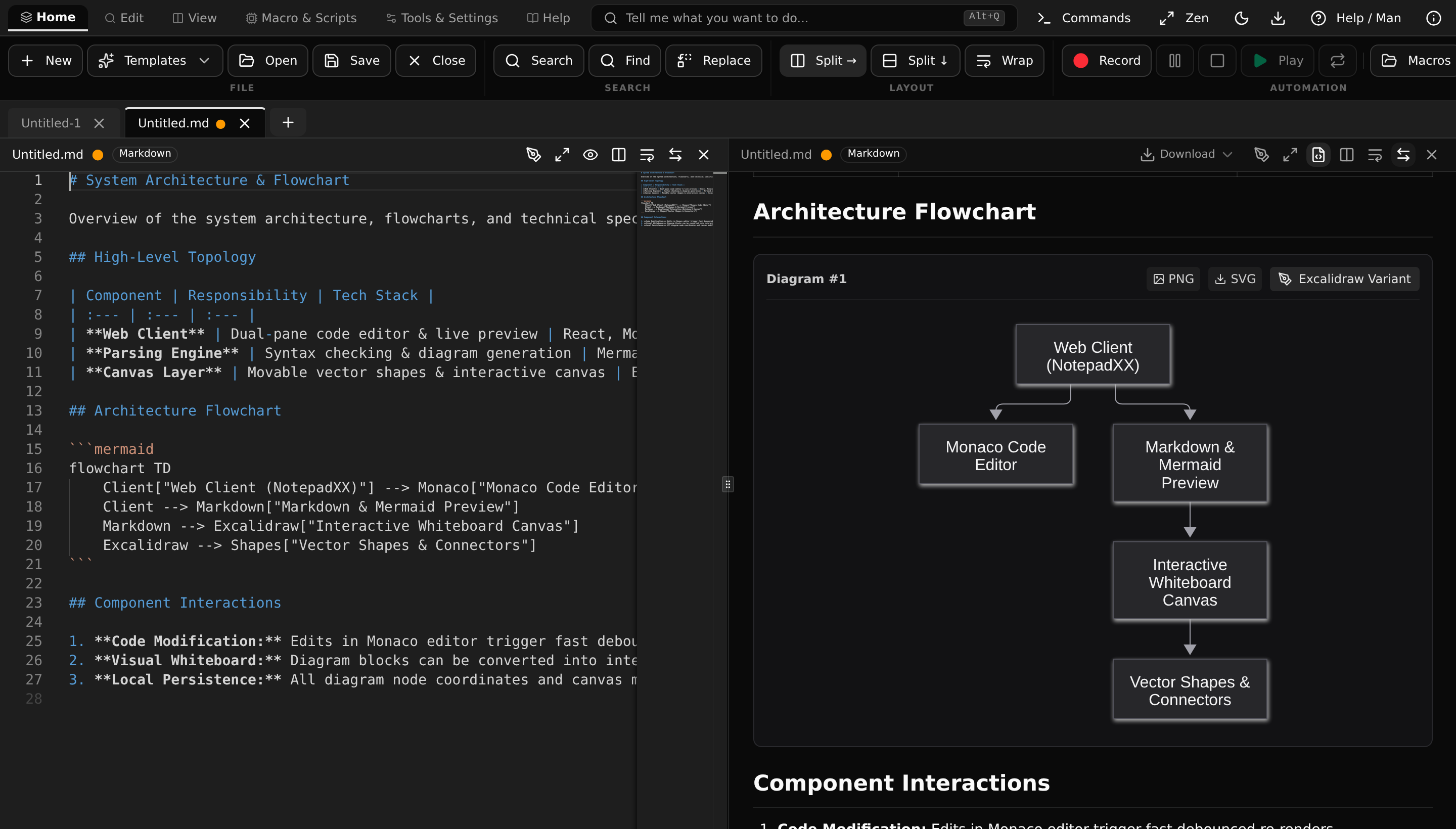
Oh My NotepadXX Editor with Markdown Architecture and interactive Mermaid flowchart

Engineered for Uncompromising Privacy

Four non-negotiable architectural axioms governing every line of code.

Zero CDN References

Every script, font, worker, and asset is compiled locally. No remote tracking scripts, analytics, or third-party CDNs.

True Offline PWA

Deterministic service worker precaches all 566 assets with verified zero duplicates. Works completely air-gapped.

Dual Code & Canvas

Seamlessly switch between Monaco code buffers, live Markdown previews, and infinite Excalidraw vector canvases.

Defense-in-Depth Security

Per-document hash-locked bridge, sandboxed iframe execution, DOMPurify SVG sanitization, and strict CSP.

Multi-Pane Workspace

Split Views & Synchronized Previews

Split your editor horizontally or vertically. Edit Markdown and Mermaid diagrams or HTML markup on the left while previewing formatted output and sandboxed rendering in real time on the right.

  • Zero-delay syntax highlighting across 40+ programming languages
  • Interactive Mermaid diagram zooming, panning, and SVG export
  • Sandboxed live HTML preview with script isolation and security guards
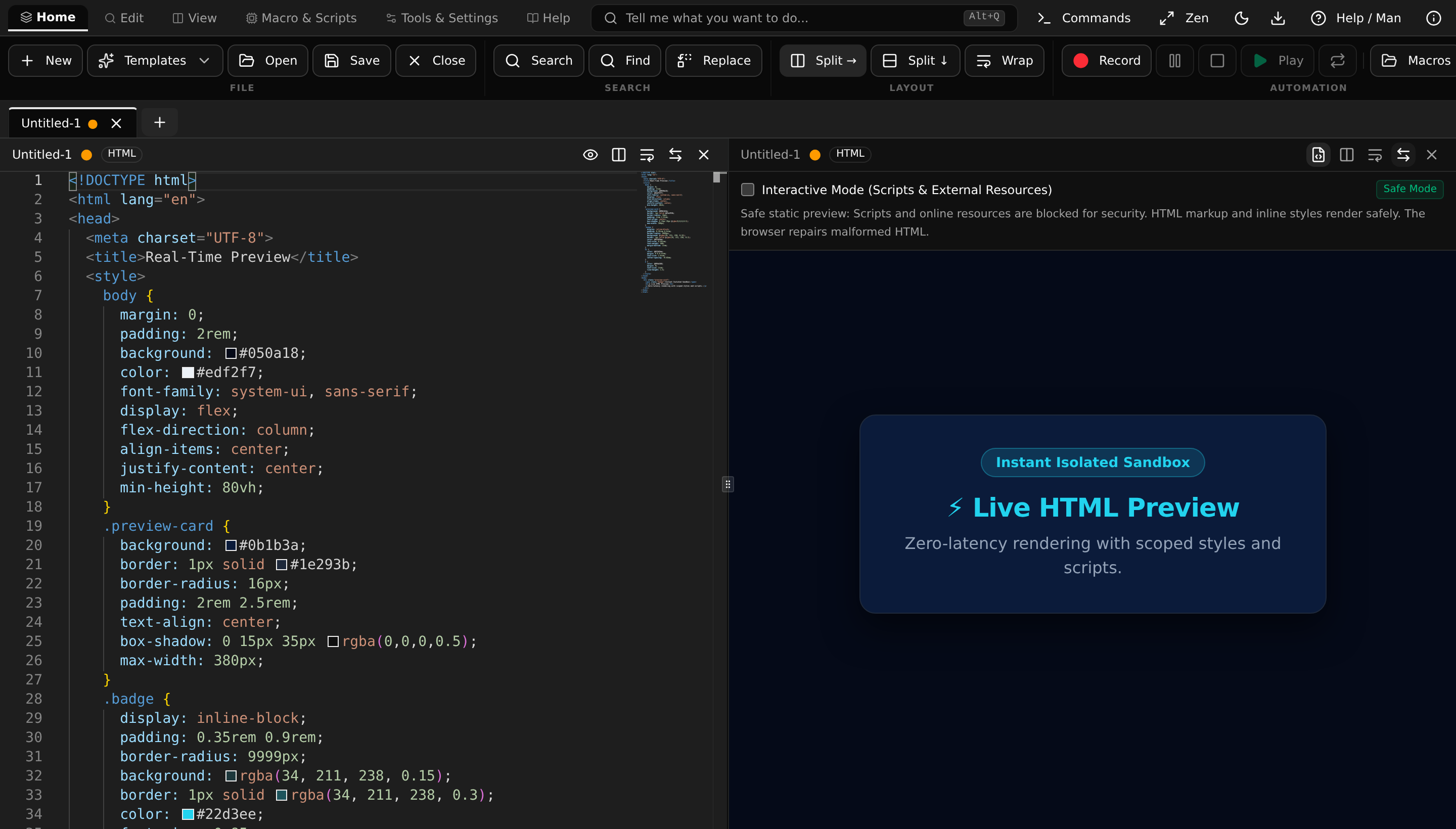
Untitled.html — Split Live Preview
Safe Mode
Split HTML editor with live sandboxed browser preview
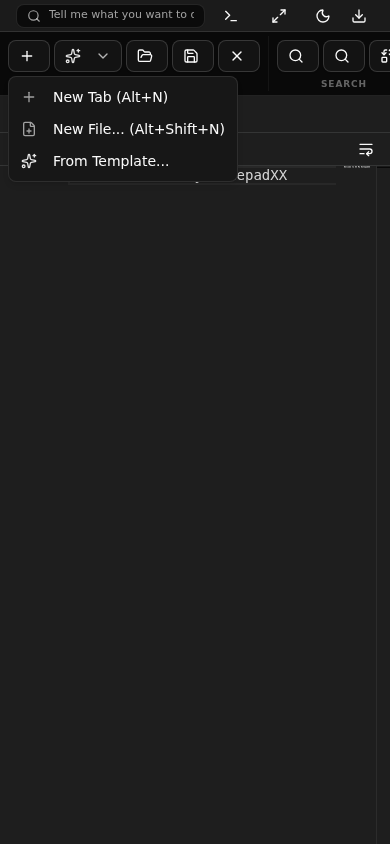
Mobile responsive layout on mobile viewport
Universal Viewports & Touch

Engineered for Mobile, Tablet & Desktop

Strict Zero-px responsive architecture ensures NotepadXX works smoothly on phones, tablets, and ultra-wide displays. Touch targets exceed 2.75rem with accessible navigation.

  • Collapsible ribbon toolbar and touch-friendly quick action menus
  • Zero horizontal scrollbars across all screen widths
  • Full keyboard shortcut support for power users

The Complete Oh My NotepadXX Manual

24 comprehensive manual topics covering keyboard shortcuts, dirty-state derived hashing, split-pane operations, web-worker scripts, and sandboxed previews.

Topic Index (24) Click to inspect
OVERVIEW(1) |

OH-MY-NOTEPADXX — Personal High-Productivity Web Editor

Offline Verified Canonical documentation
SYNOPSIS
notepadxx [options] [files...]
DESCRIPTION

Oh My NotepadXX is an offline-first, desktop-grade personal code editor derived from NotepadXX by Ali Almahdi. Designed for maximum typing velocity and zero remote latency, it pairs dual-pane split editing with local Monaco workers, deterministic dirty-state tracking, sandboxed web-worker scripting, and rich documentation.

NAVIGATING THE MANUAL

Search & Filtering: Use the search box in the sidebar to perform instant, deep content-aware filtering across all 24 manual topics, synopses, and section contents.

Command Palette Access: Launch any manual topic directly from the command bar by typing "/help " or "/man " (e.g., "/help shortcuts", "/help whiteboard", or "/help macro").

Typography Scaling: Adjust text legibility dynamically using the A- (decrease) and A+ (increase) buttons in the header, or click the pixel indicator to reset to the 13px default.

Window Maximization: Toggle between standard windowed view and full-viewport mode using the maximize/minimize button (help-maximize-btn).

THE 5 IMMUTABLE AXIOMS

Axiom 1: Zero CDN Leaks — All editor workers (editor, json, css, html, ts), Codicon fonts, Mermaid diagram libraries, and Excalidraw whiteboard assets/fonts are 100% locally bundled. No external unpkg, cdnjs, or remote script tags.

Axiom 2: Deterministic Dirty State — Tab modification state is strictly derived by comparing the 32-bit FNV-1a hash (fnv1a) of active content with savedContentHash. Metadata changes never mark files dirty.

Axiom 3: Atomic Layout & Pointer Event Safeguards — Tab creation, template insertion, and pane mutations update atomically. Radix UI popovers and dialog dismissals never trap document.body.style.pointerEvents.

Axiom 4: Decision 11 (Duplicate Pane Prevention) — Opening a file already active in the companion pane refocuses that pane rather than duplicating Monaco editor models.

Axiom 5: Sandboxed Previews — HTML preview rendering uses an isolated iframe with sandbox="allow-scripts allow-modals". Markdown and Mermaid rendering sanitize output via DOMPurify with safe local SVG rendering.

OFFICIAL WEBSITE & DOCUMENTATION

Official Companion Website: Explore guides, feature tours, architecture breakdowns, and roadmap updates at https://ohnotepadxxdocs.alrashedi.cc (Repository: https://github.com/AlRashedi-316/notepadxx-website).

Project Repository: https://github.com/AlRashedi-316/oh-my-notepadxx

Production Deployment: Access the latest production build of Oh My NotepadXX at https://ohnotepadxx.alrashedi.cc.

FULL FEATURE INVENTORY

Dual-Pane Split Editing: Side-by-side (Ctrl+\) or stacked (Alt+Shift+\) split panes with independent scrolling, per-pane word wrap, and model safety.

Word-Style Ribbon Toolbar: Two-tier ribbon organization featuring Home, Edit, View, Macro & Scripts, Tools & Settings, and Help tabs with persistent quick utilities.

Offline Excalidraw Whiteboard & Mermaid Studio: Standalone .excalidraw tabs, inline markdown diagram editing, bidirectional Mermaid-to-Excalidraw conversion, dynamic 2-point arrow binding, and 4 offline export formats.

15+ Starter Templates & Mermaid: Curated language, markdown, and live Mermaid flowchart/sequence diagram boilerplates.

Macro Recording & Replay: Record repetitive keystrokes with atomic undo grouping and multi-iteration playback.

Sandboxed Web Worker Transformations: High-throughput background JavaScript transforms supporting 50,000+ line documents without UI stutter.

Markdown Intelligence: Smart bullet (- / *), numbered (1.), and task list ([ ] / [x]) continuation on Enter, with automatic empty-item exit.

Typing Automation: Offline auto-closing brackets, quotes, and HTML/XML tags with void element exemptions.

Dynamic Language Sniffing: Instant syntax detection for untyped blank files via shebangs, XML tags, JSON keys, YAML frontmatter, and Mermaid headers.

Offline PWA Packaging: Zero-network ServiceWorker precache with robust offline backup/restore.

WHAT YOU CAN DO WITH NOTEPADXX

Offline Scratchpad & Notes: Rapidly draft ideas, technical specifications, and meeting notes with zero cloud dependence.

Multi-File Code Comparison: Diff arbitrary tabs side-by-side using Monaco diff editor with inline syntax highlighting.

Architecture Diagrams: Compose and preview Mermaid architecture charts, sequence diagrams, and state machines without third-party diagramming tools.

Interactive Architecture Whiteboards: Convert Mermaid diagrams into editable Excalidraw visual canvases, reposition shapes, bind dynamic arrows, and export vector diagrams offline.

Bulk Text Processing: Execute custom JavaScript worker scripts to filter, sort, transform, or reformat large logs and datasets instantly.

Safe Local Workspace: Open directory folders locally via File System Access API with complete client-side privacy.

ORIGIN & DERIVATION

Derived from almahdi/notepadxx@2c6d357. Upstream created by Ali Almahdi (MIT). Customizations, macro engine, and offline-first architectural variants maintained by Ali AlRashedi.

SEE ALSO

Ready-to-Use Templates & Engineering Starters

15 language boilerplates, 5 enterprise markdown specifications, and offline Mermaid diagrams. Pre-loaded with zero latency.

Available Templates (22) Ctrl+N
Markdown Architecture & Flowchart (with Mermaid) .md
Rich Markdown document containing architecture overview, comparison table, and interactive Mermaid flowchart 28 lines
# System Architecture & Flowchart

Overview of the system architecture, flowcharts, and technical specification.

## High-Level Topology

| Component | Responsibility | Tech Stack |
| :--- | :--- | :--- |
| **Web Client** | Dual-pane code editor & live preview | React, Monaco, Tailwind |
| **Parsing Engine** | Syntax checking & diagram generation | Mermaid.js, DOMPurify |
| **Canvas Layer** | Movable vector shapes & interactive canvas | Excalidraw, Rough.js |

## Architecture Flowchart

```mermaid
flowchart TD
    Client["Web Client (NotepadXX)"] --> Monaco["Monaco Code Editor"]
    Client --> Markdown["Markdown & Mermaid Preview"]
    Markdown --> Excalidraw["Interactive Whiteboard Canvas"]
    Excalidraw --> Shapes["Vector Shapes & Connectors"]
```

## Component Interactions

1. **Code Modification:** Edits in Monaco editor trigger fast debounced re-renders.
2. **Visual Whiteboard:** Diagram blocks can be converted into interactive Excalidraw whiteboards.
3. **Local Persistence:** All diagram node coordinates and canvas modifications persist in IndexedDB.

Modern, Clean Engineering

Precision architecture with zero runtime bloat, robust type safety, and deterministic execution.

Core React 19
Editor Monaco Editor
Canvas Excalidraw 0.18
Storage IndexedDB OCC

Future Roadmap & Strategic Vision

What's coming next for the Oh My NotepadXX ecosystem.

Phase 2A

Universal MCP Server

Direct AI client integration (@notepadxx/mcp) with dual stdio and SSE transport for Claude Desktop, Claude Code, Cursor, and custom AI agents.

Phase 2B

Zero-Server P2P

Real-time pair programming over WebRTC DataChannels using Yjs CRDTs. Air-gapped QR and base64 SDP signaling with zero cloud relays.

Phase 2C

Embeddable Mode

Compact iframe embed mode (?embedded=true) with bidirectional host bridge for technical blogs, docs hubs, and interactive demos.

Ready for a truly offline workspace?

Launch instantly in your browser with zero installation and zero cloud sign-up.

Try Oh My NotepadXX Now